

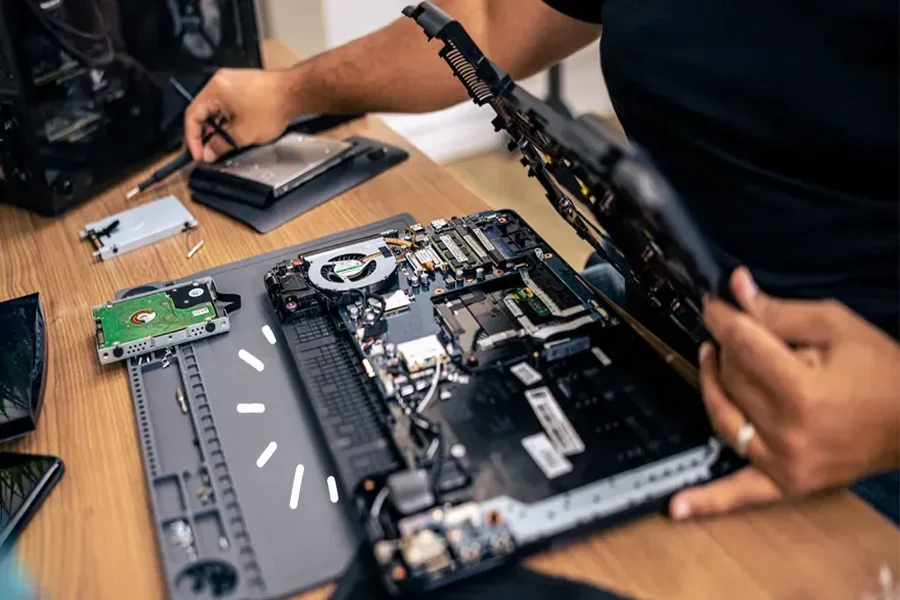
At some point, every computer starts acting up. It gets slower. It freezes. It makes a noise it never made before. And that’s when the big question hits you: Should I fix this thing, or is it time to buy a new one?
The answer isn’t always obvious. Sometimes repairing a computer makes perfect sense. Other times, replacing it saves you money and stress in the long run. Let’s walk through how to make that call without hype or tech jargon.
Start With the Real Problem (Not the Symptoms)
Before you decide anything, you need to know what’s actually wrong.
A slow computer doesn’t always mean a dying computer. It could be:
- A failing hard drive
- Too little memory for what you’re doing
- Software conflicts or malware
- An operating system that hasn’t been cleaned up in years
Many of these issues are repairable and relatively inexpensive. This is where having a professional take a look can help. A quick diagnostic from a local computer repair service in the Bay Area like Quick Fix Computer Services can tell you whether you’re dealing with a simple fix or a deeper hardware problem.
If the issue is minor, replacing the entire machine is often overkill.
How Old Is Your Computer?
Age matters, but it’s not the only factor.
As a general rule:
- 0–3 years old: Almost always worth repairing
- 4–6 years old: Depends on the issue and how you use it
- 7+ years old: Usually replacement territory, with some exceptions
If your computer is four or five years old and still meets your needs, a repair can easily give it a few more useful years. A new hard drive or extra RAM can make an older machine feel surprisingly fast again.
On the other hand, if your computer struggles with basic tasks and can’t run current software, repairs may just delay the inevitable.
Compare Repair Cost vs. Replacement Cost
This part is simple math.
A common rule many techs use is the 50% rule:
- If the repair costs less than half the price of a comparable new computer, repair usually makes sense.
- If it costs more than half, replacement starts to look smarter.
For example:
- $150–$300 to replace a hard drive or fix a power issue? That’s reasonable.
- $600 motherboard replacement on a $900 laptop? Probably not.
Also think about what you’d need in a new computer. A cheap replacement might not match the performance or build quality of the one you already have.
What Do You Use Your Computer For?
This part is often overlooked.
Ask yourself:
- Do you just browse the web, check email, and stream videos?
- Or do you edit photos, manage business files, or run specialized software?
If your needs are basic, an older computer with a few upgrades can still do the job well. Repairing it saves money and avoids the hassle of setting everything up again.
If your work depends on speed, reliability, or newer software, repairing an aging machine may feel like a constant compromise.
Reliability and Downtime Matter
A repaired computer isn’t always the same as a reliable one.
If your machine has had multiple issues in a short time, that’s a warning sign. Fixing one part won’t stop another from failing soon after. This is especially important if you use your computer for work.
For businesses or freelancers, downtime costs more than repair bills. In those cases, replacing an unstable system can be the safer choice.
Environmental Impact Is a Real Factor
Repairing instead of replacing isn’t just about saving money. It also reduces electronic waste.
According to the U.S. Environmental Protection Agency, extending the life of electronics through repair and reuse significantly reduces e-waste and the environmental impact of manufacturing new devices.If your computer can be repaired and still serve you well, keeping it out of a landfill is a real benefit.
When Repair Makes the Most Sense
Repair is usually the better option when:
- The computer is under five years old
- The issue is isolated (hard drive, battery, screen, software)
- Repair cost is reasonable compared to replacement
- The computer still meets your needs
- You want to avoid data transfer and setup headaches
In these cases, repair gives you more value from something you already own.
When Replacement Is the Smarter Move
Replacement is usually better when:
- The computer is very old and unsupported
- Multiple components are failing
- Repairs cost close to a new machine
- Performance limits your work
- You need newer features or security updates
No repair can turn a decade-old system into a modern one.
The Bottom Line
Repairing a computer isn’t about clinging to the past. It’s about making a practical decision based on cost, age, reliability, and how you actually use the device.
If a repair solves the real problem and gives you a few more solid years, it’s often the smarter move. If it only delays frustration, replacement might save you time and money.
The key is getting honest information before you decide. Once you know what’s wrong and what it costs to fix, the right choice usually becomes clear.