

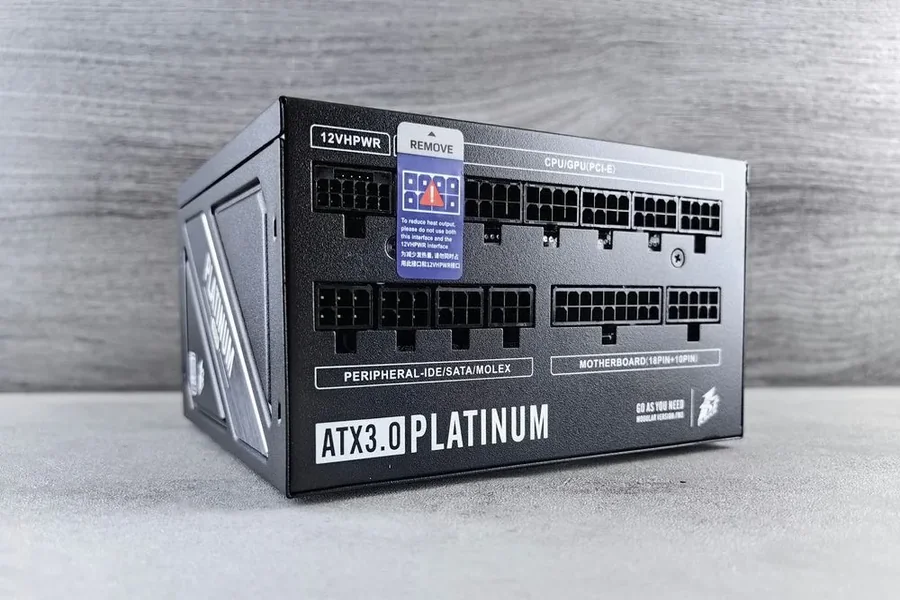
What is a power supply wattage calculator?
It’s a handy tool, popular among PC users worldwide. The wattage PSU calculator can help you figure out exactly how much power your PSU needs to power all the PC components. Just add all the PC components into it, and the power they consume to handle demanding tasks or games. The final result helps you choose a power supply that will effectively power your system and won’t operate at the maximum of its capabilities. This actor also affects its longevity and productivity.
Which PC components have the greatest impact on power consumption?
As a rule, they are:
- GPU – uses from 200 to 630 watts.
- CPU – draws anywhere from 65 to 125 watts. High-end models can draw up to 250 watts.
- Motherboard – consumes around 25 – 80 watts.
But keep in mind that to get an accurate result using the online PSU wattage calculator, you need to add to it all the components you have. Like RAM, storage devices, peripherals, and the cooling system’s power needs. They consume less energy compared to the GPU and CPU, but still need some extra power for your PC to operate effectively.
How do I correctly enter hardware specifications into the calculator?
That does not require much time and effort, especially with the Seasonic online wattage calculator. At first, find the specs for your PC build components; for all of them. Then, open the wattage calculator and go step-by-step, entering the data that it requires. We add to it all the latest PC components, so you will definitely find there what you currently use.
The biggest advantage of it is that our wattage calculator automatically adds an extra 15-20% to the final power index that your system needs. It gives room for further updates, overclocking, or adding more powerful components. With extra power capacity, your system will be prepared for these changes.
What do the calculator results mean for power supply selection?
The final figure you get after using the PSU calculator shows the peak power your PC might draw when everything’s working at full capacity. Like intensive gaming, overclocking, or long sessions of heavy use. In other words, it reflects the maximum load your PSU can handle.
How much extra wattage should I add for future upgrades?
We advise you to add at least a 20% safety margin above your system’s calculated power needs. For example, if your setup needs 450 watts, it’s better to go with a PSU rated at 550–600 watts. PC power supply runs at its best when working at around 50–70% of its total capacity. Especially if you plan future system upgrades.
How does the efficiency rating 80 PLUS® affect the final power supply selection?
80 PLUS® certification indicates the power conversion efficiency of the unit, meaning how much excess energy and heat is produced. The higher the efficiency, the less noise is produced, running costs are also lower, and the PC components have a longer service life. In a nutshell, you invest in your PSU’s longevity and stable performance.
What common mistakes should I avoid when using a wattage calculator?
We assume avoiding the following common mistakes
- Set a minimum power reserve. Take at least +15-20% of the calculations.
- Missing future upgrades in your calculations. A more powerful video card or additional storage devices will also consume energy.
- Ignore the quality of the power supply. The same wattage doesn’t mean the same stability, efficiency, and noise.
How can a wattage calculator help ensure system stability and component safety?
The Seasonic series calculator helps not only calculate the wattage for your PC build but also ensure system stability and component safety. To keep your PC from shutting down under heavy load, it determines the right power reserve for your PSU. Moreover, it shows whether the PSU can handle peak loads without overheating, overloading, or dropping voltage. On online forums, lots of PC users admit that it has a valuable effect on PC choosing.
Conclusion
Make sure you know the power needs of every PC component before you try to use the online wattage calculator. This way, you get precise results and choose the PSU that will handle even power-demanding tasks and demonstrate stable operation for years ahead.