

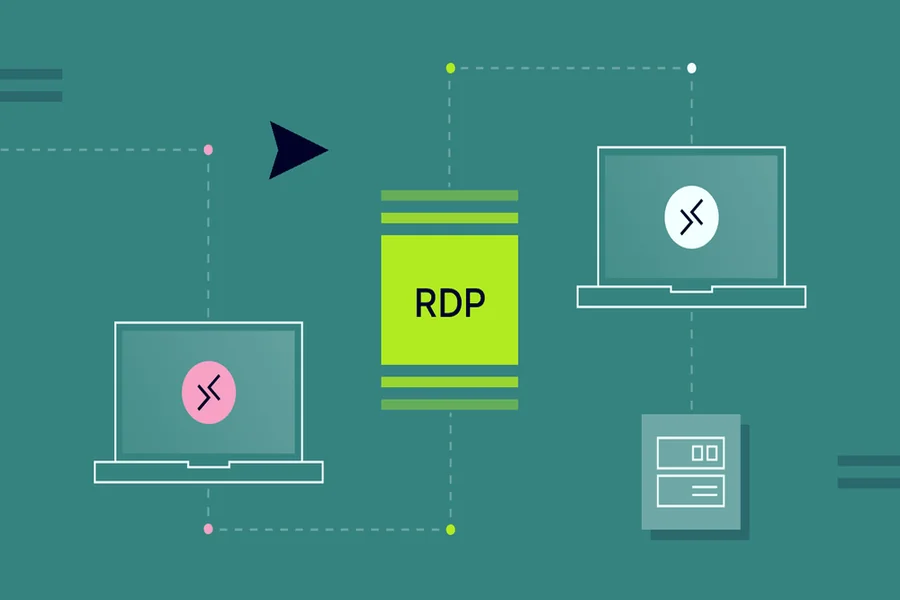
Remote Desktop Protocol (RDP) has become a vital asset to all businesses, freelancers and IT-oriented professionals, since they need to have access in a remote and secure setting of their own dedicated computer environment. It does not matter whether you are running automated trading bots, running an SEO campaign, or simply require a virtual workspace with a particular IP address; it is essential to make sure that you choose the appropriate service.
Nevertheless, the market is full of different qualities and security. The first thing you need to do before you buy rdp hosting is to gauge your unique requirements and compare them with what the service providers provide as an assurance that you will not be faced with performance bottlenecks or security threats.
Server Location and Latency
The physical location of the server stands as one of the most essential factors that require assessment. Your time delay experiences direct dependence on the distance between your current location and the server. A local or a nearby server is of necessity when it comes to tasks that involve real-time interaction, e.g. trading or high-frequency browsing. But, when you are interested in geo-targeting, e.g. consumption of content unavailable outside the USA or the UK, you need to emphasize the geo-location of the server, rather than your location.
Hardware Specifications and Performance
RDP servers are not created equal. The hardware requirements are determined by the workload you are planning to run. Simple browser tab run times use much less resources compared to heavy software or code compilation. Before committing, you should ensure that you have checked the underlying hardware infrastructure.
- RAM (Random Access Memory): It is critical in multi tasking. When it comes to heavy multitasking, 8GB or more should be sought but 4GB would work with light usage.
- CPU: The processor determines the speed of the execution of the commands by the server. Make sure that you are receiving dedicated resources in case performance cannot be compromised, but not shared vCPU, which might slow down at the peak time.
- Storage: SSDs (Solid State Drives) are the standard at present and are significantly faster than the old HDDs.
Bandwidth and Data Limits
Any RDP connection is supported by data throughput. Unmetered bandwidth is required in case you are going to upload or download big files, watch video, or run scraping tools that consume a lot of data. Most entry-level providers have hard limits on the data transfer speed after which they slow your connection or charge very expensive overage fees. It is important to always define the port speed (e.g. 1Gbps uplink) to facilitate fast transfer of data.
Operating System and Software Compatibility
Make sure the server has the Operating System (OS) that is compatible with the applications. Windows Server 2016/2019/2022 are the norm in an enterprise-wide environment; however, some users like Windows 10 or 11 that are more allied with desktop use. Also, verify whether the provider has enabled you to install custom software or they have limited the environment due to security issues. Full Administrator Access is essential in case you are required to set up the system settings by yourself.
This is a quick reference guide to help you imagine what is required using it:
| Use Case | Recommended RAM | CPU Cores | Storage | Bandwidth Priority |
| Light Browsing / Email | 2GB – 4GB | 1 vCPU | 25GB SSD | Standard (100Mbps) |
| SEO Tools / Scraping | 8GB – 16GB | 2 – 4 vCPU | 80GB+ SSD | High / Unmetered |
| Algorithmic Trading | 4GB – 8GB | 2 – 4 vCPU | 50GB SSD | Low Latency / 1Gbps |
| Video Streaming | 8GB+ | 4+ vCPU | 100GB+ SSD | Very High / Unmetered |
Security and Support
There should be no compromise where security measures are concerned. Ensure the provider offers:
- DDoS Protection: To ensure that your session will not be terminated by the malicious attackers.
- SSL/TLS Encryption: To ensure the encryption of your data transmission.
- 24/7 Tech Support: Your work stops after a moment when you have RDP problems. Find suppliers whose live chat or response times on tickets are less than an hour.
Selection of the appropriate provider will be a matter of tradeoffs between the cost, reliability, and performance. On this list, you can place a tick on location, specs, bandwidth, and support, and effortlessly have a smooth remote desktop experience. In case you are an individual business person or a big company, you can be assured of the best when you buy rdp services by doing your due diligence. You need not simply find the lowest price, but one that fits your operational ambitions.