

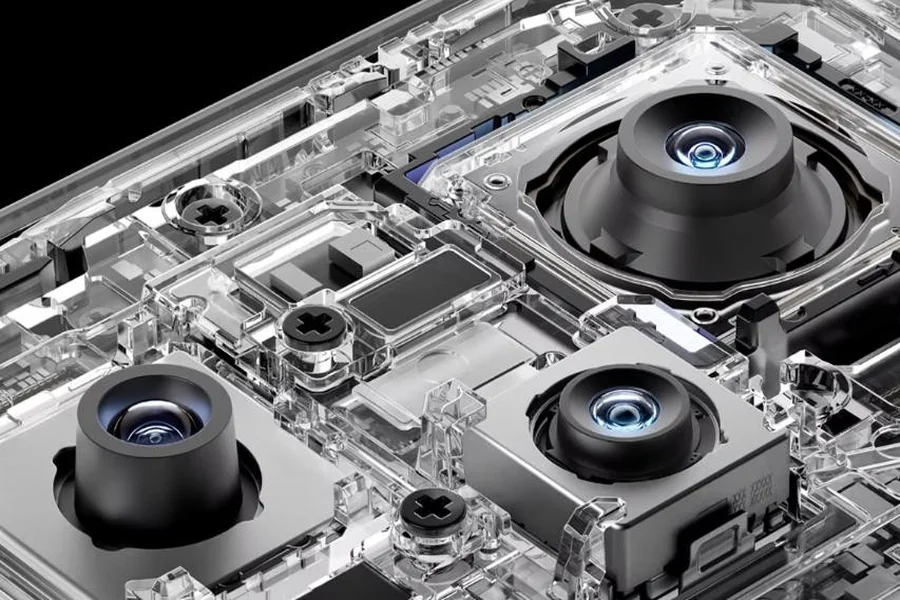
People often use smartphone cameras in auto mode for convenience. However, manual mode offers greater control over your shots. By adjusting settings like ISO, shutter speed, and white balance, you can enhance your photography experience. Although it requires effort and practice, mastering manual mode can elevate your skills and provide unique opportunities. Smartphones like the HONOR 400 Pro exemplify how modern devices are now equipped with advanced camera features, empowering users to take full advantage of manual controls. This blog explores the benefits and challenges of using manual mode, compares it to auto mode, and helps you decide if it’s worth the investment of your time.
Advantages of Using Manual Mode
Switching to manual mode can enrich your photography experience. It allows you to have complete authority over how your images look. By taking control, you can achieve creative effects that are impossible with automatic settings. Let’s explore key advantages in more detail.
Creative Control Over Exposure
When you use manual mode, you are the photographer in charge. You can manipulate the exposure settings—ISO, shutter speed, and aperture—to create your vision. ISO determines your camera’s sensitivity to light. In bright conditions, a lower ISO keeps images sharp. Shutter speed manages how long your sensor is exposed to light. A fast shutter speed freezes motion, while a slow one captures movement. Aperture affects the depth of the field. A wider aperture highlights your subject by blurring the background. With these tools, you can adapt to any situation and craft photos that truly reflect your creative intent.
Consistent Results Across Shots
In manual mode, consistency becomes achievable. Unlike auto mode, which automatically adjusts settings between shots, manual mode retains your predetermined settings. This consistency is essential for projects needing cohesive results, like product photo shoots or event coverage. When lighting conditions remain stable, and you wish to sustain a particular style or mood, manual mode guarantees uniformity. It saves you time in post-processing since photos need fewer corrections. Thus, manual mode ensures that every shot aligns with your vision, promising a reliable and cohesive photographic narrative.
Ideal for Low-Light and Long Exposure
Manual mode shines in challenging lighting situations. Low-light environments and long exposure shots benefit greatly. Auto mode can struggle to balance dark and bright parts, producing grainy or flat images. With manual mode, you can control ISO and shutter speed to capture cleaner photos. A higher ISO brightens images but risks noise; manual adjustment finds a balance. For artistic long exposures, a slow shutter speed captures motion, blurring car lights or star trails. Manual adjustments bring out details unseen in auto mode, allowing creativity to flourish even in the dark.
When to Use Manual Mode
While manual mode may seem complex, it’s invaluable in certain scenarios. It excels in situations where creativity and control are paramount. Here are ideal scenarios to capture stunning photos.
Portrait Photography
Manual mode enhances portrait photography significantly. By managing depth of field and focus, you can produce beautiful, professional-quality images. Choose a wide aperture for a shallow depth of field, letting your subject stand out against a soft, blurred background. You have the option to fine-tune exposure, ensuring that skin tones appear natural and flattering. Adjusting white balance in manual mode ensures accurate color representation, eliminating unwanted color casts. This control over photographic elements enables you to create portraits that truly capture the essence and personality of your subject.
Night and Low-Light Scenes
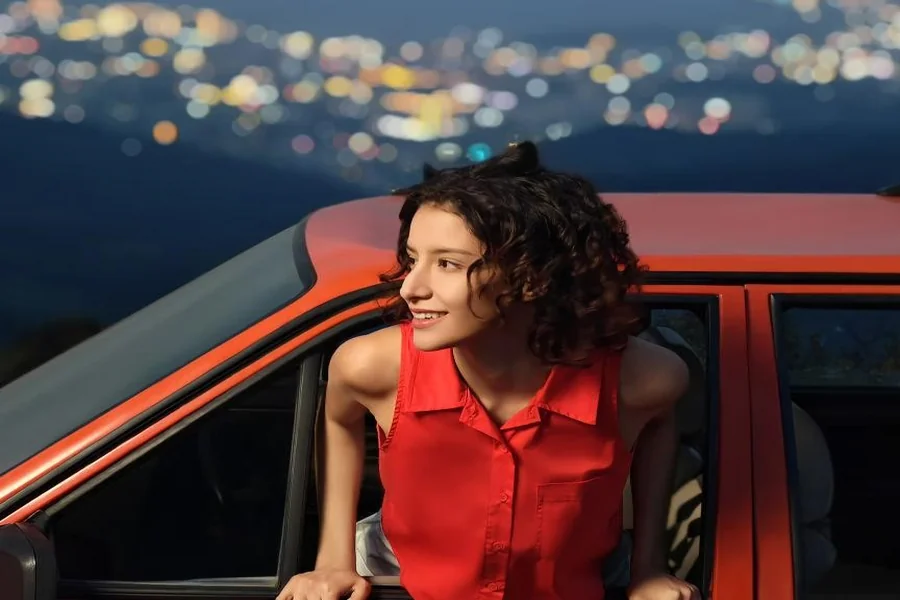
Night photography challenges many photographers, but manual mode makes it manageable. Adjust the ISO and shutter speed for optimal results. A high ISO setting brightens images in darkness, but balance is needed to reduce noise. A slower shutter speed allows more light in, ideal for capturing cityscapes or starry skies. A tripod ensures sharpness. Manual mode ensures well-exposed, vivid night scenes. It handles contrasts and highlights city lights and stars, making night scenes more dynamic and intriguing.
Creative Effects and Motion Shots
Achieving creative effects and capturing motion requires control, which manual mode offers. Adjusting shutter speed lets you explore blurring or freezing action. A slow shutter speed captures motion blur—ideal for waterfalls or moving lights. Conversely, a fast shutter speed freezes action, capturing sports or wildlife with precision. In manual mode, you control exposure and focus, achieving unique effects that enhance storytelling. Manual adjustments encourage experimentation, leading to imaginative compositions that auto mode can’t accomplish.
Alternatives to Manual Mode
For those who find manual mode daunting, there are simpler alternatives. These options offer some control without overwhelming complexity, allowing you to enhance your photography without full manual mode.
Auto Mode with Exposure Compensation
Auto mode simplifies photography by managing exposure and focus. However, it can struggle in tricky lighting. To refine images, try exposure compensation. Located in your camera settings, exposure compensation adjusts the brightness of photos. Increase it to make images brighter, or decrease it for darker scenes. This allows minor adjustments without leaving auto mode, making it useful in high-contrast environments. While not as precise as manual adjustments, it offers intermediate control over exposure, improving your photography with minimal effort.
Pro Mode in Camera Apps
Many smartphone cameras feature Pro mode for advanced control. It’s a middle ground between auto and manual, offering manual adjustments with guidance. Pro mode lets you tweak settings like ISO, shutter speed, and focus, yet retains some automated features to prevent missteps. It’s an excellent starting point to explore manual techniques safely. Camera apps expand options further, often with innovative modes and settings. Embracing Pro mode can gradually increase your confidence and skill, easing you into full manual control when you’re ready.
Conclusion
Deciding whether manual mode is worth it depends on your photography goals. If creative control and unique shots are priorities, investing time to learn manual mode offers significant rewards. Patience and practice transform challenges into expanded skills and impressive photos. However, if you prefer quick and convenient shooting, stick with auto or explore Pro mode for a balance of ease and control. Each method has pros and cons, but understanding and experimenting with them expands your capabilities, making you a more versatile photographer.